Best SEO monitoring tools: how to choose by job, not by brand
“SEO monitoring” gets used for at least four different jobs, and most buying guides pretend it’s one. Before you shortlist anything, work out which job is actually yours: turning your own Search Console and GA4 data into a dashboard, tracking a keyword’s rank independently of Google, crawling your own site for technical errors, or watching who links to you. Get that wrong and you’ll pay for capability you’ll never open.
This guide starts with that split instead of a ten-tool list, because the split is what decides which tool below is worth your money. If you already know your job is turning Search Console data into something usable, skip ahead to the recommended products. Everyone else should read the next section first — it’s shorter than it sounds, and it will save you a subscription.
For each job, we name the tool that fits, the tool that doesn’t, and the specific line — a URL count, a retention window, a price per keyword — where one stops being enough and the next one starts. That includes the one merchant on this site: it wins one of the four jobs outright and is named as absent from the other three, not stretched to cover ground it doesn’t.
The buying guide: the four jobs called “SEO monitoring”
Search a general term like “SEO monitoring tools” and the results blur four separate categories of software together, because vendors that only do one job still want to rank for the broad term. A rank tracker’s marketing page will happily use the word “monitoring.” So will a backlink tool’s, and so will a Search Console reporting layer’s. None of them are lying exactly — they’re all monitoring something — but “something” is doing a lot of work in that sentence, and it’s a different something in each case.
The practical cost of skipping this split is that people buy the wrong tool for a real problem. Someone whose actual pain point is “I can’t show my client a clean monthly report” ends up trialing a rank tracker because it showed up first in search results, discovers three months in that it never solved the reporting problem at all, and blames the wrong category instead of the wrong tool. Splitting the four jobs out first is what stops that from happening to you.
Job one: Search Console and GA4 analytics and reporting
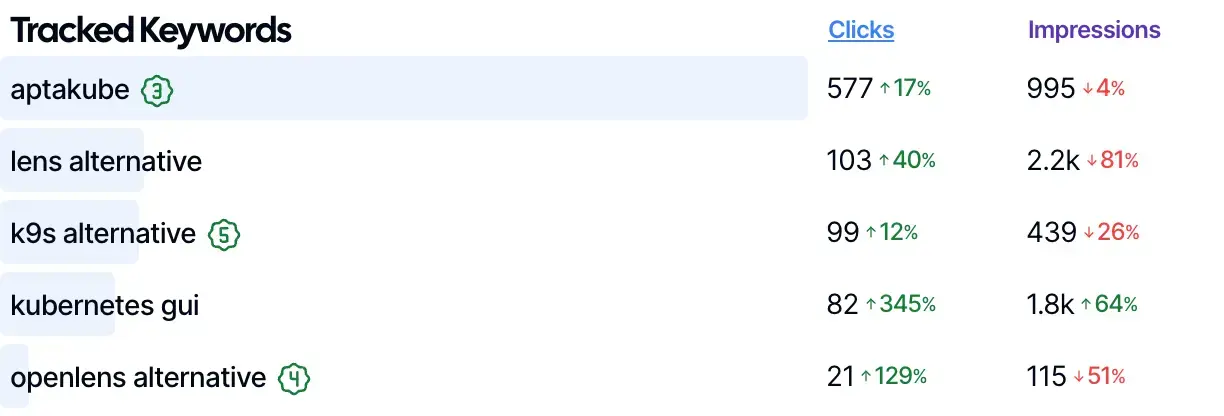
This is the job of turning data Google Search Console and Google Analytics 4 already collect about your own site into something you can actually use: a live dashboard, a client-ready report, month-over-month trend tracking, and answers to “why did clicks drop last week.” A tool doing this job doesn’t discover anything new — it’s a wrapper and a reporting layer around your own Search Console API data, built so you’re not exporting CSVs and rebuilding the same spreadsheet every Monday.
Job two: rank tracking across search engines
This is independently checking where a specific page ranks for a specific keyword, on a schedule, often across desktop, mobile, and multiple locations. It is not the same job as job one. Search Console reports your site’s own average position as Google calculates it internally across every query and device it saw — a rank tracker instead runs its own simulated searches and logs an actual position for each keyword you tell it to watch, including ones you don’t yet rank for.
Job three: crawling and technical site audits
This is crawling your own site’s pages the way a search engine bot does, to surface broken links, duplicate title tags, redirect chains, orphaned pages, and thin content before they cost you rankings. It’s a periodic health check on your site’s structure, distinct from a Search Console SEO audit built from indexing signals Google already reports.
Job four: backlink monitoring
This is tracking who links to your site (and your competitors’ sites), spotting new and lost referring domains, and auditing the quality of a link profile. It requires a large, continuously re-crawled web-wide index of links — something no Search Console-based tool can offer, because Google doesn’t expose your backlink graph through any API.
No tool on this page does all four jobs well at a price that makes sense for a single site. What you’re choosing is a stack, not one seat — the question for each entry below is which one or two jobs it actually covers, and which ones it honestly doesn’t. That also means the “best” tool for this search term genuinely depends on which job triggered the search in the first place, which is why a roundup that ranks every entry against every job produces a list that’s technically accurate about nothing. Stacking two specialist tools — one for job one, one for whichever of jobs two through four you actually need — is usually cheaper than one suite trying to do all four adequately, and it’s almost always cheaper than discovering six months in that the all-in-one plan you bought doesn’t do the one job you actually needed.
Recommended products for job one
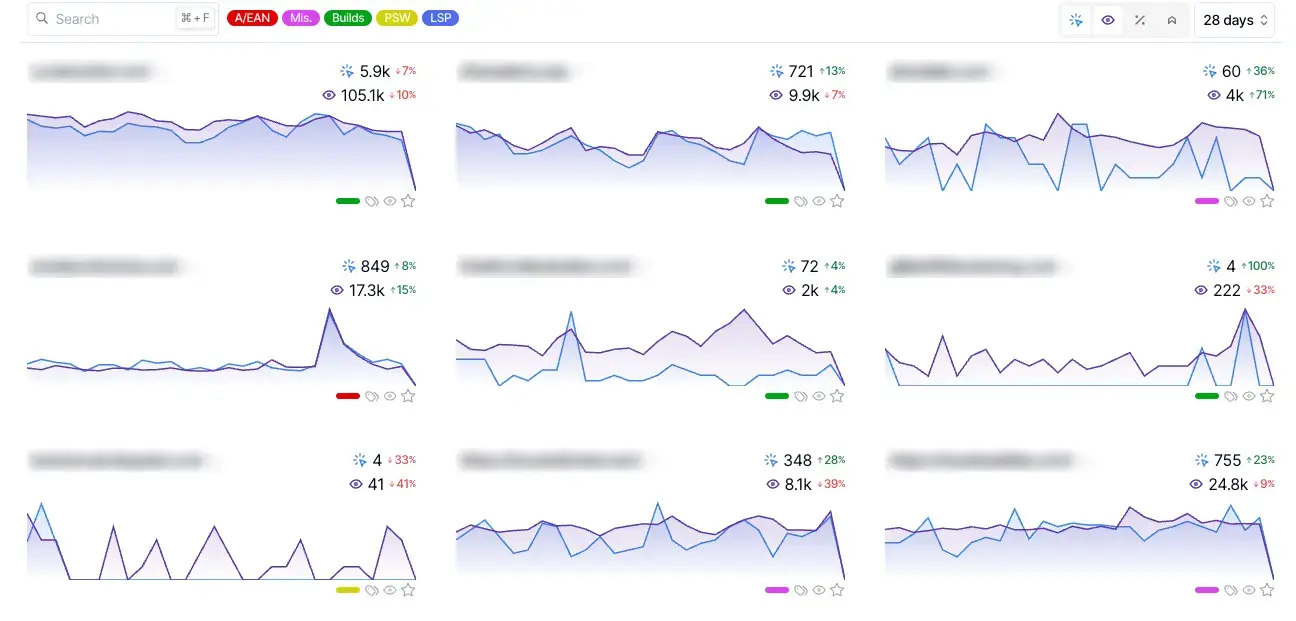
Job one is the tightest fit on this page, so it’s where we can be specific instead of general. SEO Gets connects to your existing Search Console and GA4 properties — unlimited connected sites and unlimited team seats on every tier, including Free — and turns that data into a master dashboard, client-facing reports, and branded, white-labeled output instead of leaving you to rebuild the same export by hand every week.
SEO Gets Core — Search Console and GA4 in one view
Core is the first paid tier, listed at $39 per month, and the thing it changes is
that search data and behaviour data stop living in two separate tabs. It connects
Google Analytics 4 alongside Search Console, then layers on the reports that are
tedious to reproduce by hand: striking distance, keyword cannibalization, and
content decay. The client-facing half is what most agencies actually buy it for —
live portals shared by link, scheduled reports that send themselves, and PNG
export carrying your own branding rather than a vendor logo.
What to check
Vendor: SEO Gets
Plan level: first paid tier, above the free plan and below Pro
Check before buying: whether you specifically need GA4 alongside Search
Console, whether anyone will actually open the client portals, and whether the
opportunity reports tell you something your current process does not
Who it suits
The reader who has outgrown exporting Search Console by hand every month but has
not yet hit the retention wall. That is usually a freelancer or a small agency
reporting on several client properties, where the saving is measured in hours per
client per month rather than in any single feature. Connected properties and team
seats are unlimited on every tier including Free, so this plan is not a way to buy
more capacity — it is a way to buy the reports and the client-facing output.
Be aware
History stays at 16 months on this tier, matching Search Console’s own limit, so
if the problem you are solving is a year-over-year comparison that already aged
out, this plan does not solve it. Index reporting for indexed pages is a Pro
capability and is not included here either. And the free plan is a genuinely
working Search Console dashboard, so the honest question before paying is whether
GA4, the client portals or the opportunity reports are worth $39 a month to you
specifically — not whether the paid tier is better in the abstract.
SEO Gets Pro — the tier that removes Search Console’s ceilings
Pro is listed at $49 per month and exists to lift the two limits that eventually
stop everyone: Google Search Console retains 16 months of performance data and
throttles its API, and no dashboard built on top of it can invent history the
source no longer holds. This tier retains up to five years, removes the Search
Console API request limit, and adds index reporting so the number of pages Google
actually has indexed becomes something you can watch move rather than something
you spot-check. It also introduces the Super Site concept, extended storage, and
content change tracking.
What to check
Vendor: SEO Gets
Plan level: top tier, above Core
Check before buying: how old the site is, how many properties genuinely need
long history, and whether anyone will act on index reporting once they have it
Who it suits
The reader whose reporting question is historical — year-over-year comparisons,
the shape of a site before and after a core update, or an argument that has to be
made with data older than Search Console keeps. It also suits anyone whose current
setup is already hitting Search Console API quota errors rather than row limits,
because removing that ceiling is a capability rather than a convenience.
Be aware
The extended history and index reporting apply to one Super Site, so a portfolio
of equally important properties is a different calculation than a single flagship
site, and it is worth doing that arithmetic before upgrading. Retention also only
runs forward: a plan bought today does not retroactively recover months that have
already aged out of Search Console, which is the single most common
misunderstanding about paying for retention. If the site is younger than 16
months, the headline feature has nothing to retain yet and Core is the honest
recommendation.
What actually fills that dashboard, on either plan, is the part worth being specific about: content-decay and growth tabs that flag pages losing clicks before you’d notice by scrolling a spreadsheet, an Opportunity Report and striking-distance view that surfaces keywords sitting just outside page one, a keyword-cannibalization report, branded versus non-branded query splits, and Google core-update annotations lined up against your own traffic graph so a ranking drop and an algorithm update are easy to tell apart. Both plans also expose an MCP connection, which is the same protocol that lets AI agents like Claude query the data directly instead of a person opening the dashboard by hand — a small detail today, but one that matters more each quarter as more SEO work moves into agent-driven workflows.
Both plans are honest about the boundary. Neither Core nor Pro crawls a single page of your site, tracks a keyword’s rank independently of Google’s own average-position number, or carries any backlink data at any price — that’s not a gap in the plan you picked, it’s outside what SEO Gets does at all. If your actual job is two, three, or four above, the tools in the next section are the honest answer, not SEO Gets wearing a different label.
Do not buy Core if independent rank tracking, a technical crawl, or backlink data is what you actually need — go straight to the tools below instead of hoping a cheaper analytics plan covers it.
Do not buy Pro if your site is younger than 16 months. The headline Pro feature is history beyond Search Console’s own retention window, and a young site has nothing yet to retain that Core doesn’t already show you.
Do buy either if your actual bottleneck is turning Search Console and GA4 data into something a client or manager can read without you rebuilding a spreadsheet — that’s the job both plans are built for.
The tools for jobs two through four, by job
These are not merchants on this site and none of the links below earn a commission. They’re the honest answer for the three jobs SEO Gets doesn’t do, named the way an independent comparison should name them.
Rank tracking: Ahrefs and Semrush
As of August 2026, Ahrefs’ pricing page lists three self-serve plans with rank tracking built in: Lite at €119/month tracking 750 keywords, Standard at €229/month tracking 2,000 keywords, and Advanced at €419/month tracking 5,000 keywords, all billed monthly. Semrush’s pricing page starts lower on paper: its entry SEO plan runs $117.33/month billed annually (or $139/month billed monthly) and bundles Position Tracking with Site Audit and backlink analysis across up to five monitored websites.
Do not buy either if rank tracking is your only job. You’d be paying full suite pricing to use one feature out of a dozen — SE Ranking, below, is the cheaper standalone-friendly route into rank tracking alone.
Do buy one if you need scheduled, location-specific rank checks that Search Console’s own average-position metric can’t give you, especially for keywords you don’t rank on page one for yet. This also matters for local or multi-location businesses, where the same keyword can rank very differently a few miles apart — something a single sitewide average position figure hides completely.
Crawling and technical audits: Screaming Frog and Semrush
Screaming Frog’s SEO Spider is a desktop crawler, not a hosted dashboard. As of August 2026, the free version crawls up to 500 URLs per project and covers more than 300 built-in technical SEO checks. The paid license runs £199/year, removes the 500-URL cap, and adds JavaScript rendering, scheduled crawls, crawl comparison over time, and API integrations with Google Analytics, Search Console, and PageSpeed Insights. Semrush’s Site Audit, included on every paid Semrush plan listed above, covers the same job from inside its dashboard instead of a downloaded app.
Do not buy Screaming Frog’s paid license if your site is under 500 pages — the free tier already crawls the whole thing.
Do not rely on Semrush’s Site Audit alone if you want an on-demand crawl of an arbitrary URL list rather than a scheduled crawl of one registered project.
Do buy Screaming Frog if you want a one-time or occasional deep technical crawl without a recurring subscription — a paid license is a yearly cost, not a monthly one.
Backlink monitoring: Ahrefs and Semrush
Ahrefs built its reputation on its backlink index, and Semrush’s Backlink Analytics ships on every paid Semrush tier, including the entry SEO plan. Both let you track new and lost referring domains, audit link quality, and pull a competitor’s link profile, not only your own — this is the job SEO Gets carries zero data for, at any price.
Do not buy either tool for backlinks alone if budget is the real constraint. SE Ranking’s backlink research, included on its Core plan below, is the cheaper way into this one job.
Do buy one if you’re evaluating a link-building campaign, checking for toxic or spam backlinks before a disavow, or need to see what a competitor’s link profile looks like before you can copy their strategy. Neither SEO Gets plan, at any price, will ever show you a single referring domain — this job sits entirely outside what a Search Console wrapper can do, since Google doesn’t expose the backlink graph it uses internally through any public API.
The all-in-one alternative: SE Ranking
SE Ranking bundles rank tracking, site audits, and backlink research — jobs two through four — into a single subscription rather than three separate ones. As of August 2026, its pricing page lists the Core plan at $129/month billed monthly (or $103.20/month billed annually), tracking 2,000 keywords daily and auditing up to 250,000 pages a month, with unlimited keyword, competitor, and backlink research included at that tier.
Do not buy SE Ranking if you already pay for SEO Gets and only need job one — you’d be paying for three jobs you don’t need to reach the one you already have covered.
Do buy it if you need jobs two, three, and four together and want one bill and one login instead of stitching Ahrefs, Screaming Frog, and a separate backlink tool together.
Free and near-free options
You don’t need to pay for any of this on day one. Google Search Console itself is free, and its Performance report has retained up to 16 months of history since Google rebuilt the report — that’s the number every paid tool on this page is either working within or explicitly extending past. Google Analytics 4 is free at the traffic volumes any site reading this article is likely to generate. Looker Studio is free and can pull both sources into one shareable view, if you’re willing to build and maintain the connectors and refresh logic yourself. Bing Webmaster Tools is the free equivalent for Bing’s own index, worth connecting the moment a real share of your traffic comes from Bing rather than Google.
For technical checks specifically, Screaming Frog’s free tier — covered above — handles a full crawl of anything under 500 URLs, and Google’s own free PageSpeed Insights and Rich Results Test tools cover single-page technical checks without running a crawl at all.
There’s also a DIY route into job one specifically: the Search Console API is free to call against your own verified properties, returning up to 25,000 rows per request instead of the 1,000-row cap the Performance report’s own UI table shows. That’s genuinely enough to build a basic internal dashboard yourself with a spreadsheet or a script — the trade-off is that you’re the one maintaining the pull, the refresh schedule, and the charting, which is exactly the maintenance work a paid reporting layer like SEO Gets exists to remove.
Where the free stack stops being enough: the moment you’re managing more than one site’s data in a single view, need a client-facing report you didn’t build by hand, or need history past Search Console’s own 16-month window, you’ve hit the ceiling every free option shares. That’s the point where an SEO monitoring dashboard or a paid suite tool starts earning back its price instead of just adding a line item.
Who fits what: a quick comparison
Matching your actual job to a tool, rather than a brand name, is the whole point of this page. If you report to clients on their Search Console and GA4 data, the calculus is different from someone who just needs a technical crawl once a quarter.
Agencies reporting to clients on their own Search Console and GA4 data → SEO Gets Core or Pro, for the client-facing reporting and branded output neither Ahrefs nor Semrush is built around.
Need independent rank tracking, not Search Console’s average position → Ahrefs or Semrush if you already need other jobs too; SE Ranking if rank tracking is the main cost driver.
Need a technical crawl of your own site → Screaming Frog, free under 500 URLs, £199/year above that.
Need to monitor backlinks, yours or a competitor’s → Ahrefs or Semrush; SE Ranking if you also need jobs two and three.
Need jobs two, three, and four together, on one bill → SE Ranking.
Not sure yet, or just starting out → raw Search Console plus Looker Studio, both free, until a specific limit — history, seats, or client output — actually bites. There’s no penalty for staying on the free stack while you figure out which job is actually costing you time.
Deciding what to even measure first → start with the right SEO KPIs before buying anything; the tool choice gets easier once you know what you’re tracking, and it stops you from buying a rank tracker to solve what turns out to be a reporting problem.
Practical tips for running an SEO monitoring stack
Expect to run more than one tool, not fewer. The four jobs above rarely collapse into a single subscription that’s actually good at all of them. Most working stacks pair a Search Console/GA4 reporting layer with one job-two-through-four tool, not one tool that claims to do everything.
Watch the 16-month clock specifically. It’s the one hard limit in this article that isn’t about price or seats — it’s how far back Search Console’s own UI will ever let you look. If you need year-over-year comparisons past that window without paying for extended retention, Search Console’s BigQuery bulk export is the free way to keep your own copy of the raw data indefinitely, rather than relying on any vendor’s retention tier.
Separate what you check weekly from what you check monthly. Rank movement and indexing status are worth a weekly glance; backlink profile changes and a full technical audit are usually a monthly or quarterly job. Trying to check everything daily is how a monitoring habit turns into noise nobody reads.
Decide how clients see the data before you pick a plan. A live portal, a scheduled PDF, or a report template you fill in by hand are three different workflows with different time costs — pick the one that matches how often you actually talk to the client, not the one with the most features.
Re-run the “do not buy this if” test at renewal, not just at signup. SaaS pricing and plan boundaries shift often enough that a tool worth skipping in January can be worth buying by summer, and vice versa — that’s also why every price in this article is dated rather than treated as permanent.
Don’t let one tool’s dashboard become your only source of truth. Every tool on this page, paid or free, is reading the same underlying reality — your actual rankings, your actual site, your actual link graph — through a different lens and on a different refresh schedule. When two tools disagree on a number, that’s usually a sampling or timing difference worth understanding, not a reason to assume one of them is simply wrong.
Frequently asked questions
What’s the actual difference between SEO monitoring and rank tracking?
SEO monitoring is the umbrella term for four separate jobs: analytics reporting on your own Search Console and GA4 data, rank tracking, technical site crawling, and backlink monitoring. Rank tracking is one of those four jobs specifically — running scheduled, independent searches to log where a page ranks for a keyword, which is different from a reporting dashboard summarizing data Google already gives you. If a vendor’s homepage uses “monitoring” without saying which of the four it means, check its own pricing or features page before assuming it covers the one you actually need.
Does Google Search Console track keyword rankings the same way as Ahrefs or Semrush?
No. Search Console reports your site’s own average position as Google’s systems calculated it across every impression it recorded, which blends devices, locations, and query variants together. A rank tracker like Ahrefs’ or Semrush’s runs its own simulated search for a specific keyword on a schedule and logs an actual position, including for keywords your site doesn’t rank on page one for at all — Search Console won’t show you a position for a query with zero impressions.
Can one tool realistically do all four jobs?
Not at a price that makes sense for a single site. SE Ranking gets closest by bundling rank tracking, site audits, and backlink research into one subscription, but it doesn’t connect to your own GA4 account or build client-facing report portals the way a Search Console-focused tool like SEO Gets does. Every tool on this page is strong at one or two jobs and openly weak or absent on the others, and that’s true even at the top of each vendor’s own pricing ladder — paying for the most expensive tier doesn’t buy you a job the tool never did in the first place.
Do these tools track AI Overviews, ChatGPT, or Perplexity traffic?
Only partly, and it’s worth keeping the two apart. Google Search Console added a dedicated Generative AI performance report in June 2026, showing impressions (not clicks or CTR) for your pages inside Google’s own AI Overviews and AI Mode — it’s rolling out gradually and isn’t available on every property yet. That report has nothing to do with ChatGPT or Perplexity, though: those are separate products outside Google Search, and any traffic they send you shows up as referral traffic in your own GA4 data, not in a rank tracker’s SERP index or a Search Console report.
Is the free tier of Google Search Console enough for a small site?
For one site with one person checking it, often yes — Search Console itself is free with no seat limit, and it already covers job one on its own. It stops being enough the moment you’re juggling more than a couple of properties in your head, need to hand a client something you didn’t screenshot yourself, or need to compare performance further back than Search Console’s 16-month retention window allows.
How much does a realistic SEO monitoring stack cost per month?
It depends entirely on which jobs you actually need. Job one alone starts at $39/month with SEO Gets Core. Adding rank tracking, crawling, or backlinks with a suite tool like Semrush or Ahrefs adds roughly $117 to $230 a month on top, or SE Ranking covers those three jobs together starting around $103 to $129 a month. A site that only needs job one, and stays on Search Console’s free tier for everything else, can reasonably spend nothing at all.
Which tool is best for an agency that reports to clients?
For the reporting layer itself, SEO Gets is built specifically around client portals and branded output from your own Search Console and GA4 data, which general-purpose suites like Ahrefs and Semrush aren’t primarily designed around. If the agency also runs rank tracking or technical audits for clients, that’s a second, separate line item from one of the job-two-through-four tools above — not a reason to expect one subscription to cover both. Budgeting for two tools from the start, one per job, tends to produce a cleaner client invoice than trying to justify a single suite plan against work it only partly does.
Picking the right SEO monitoring setup starts with naming the job, not the brand. If that job is turning Search Console and GA4 data into something you can actually report on, start with the SEO monitoring dashboard approach and the SEO reporting dashboard guide next to it. If it’s client-facing output specifically, SEO client reporting and white-label SEO dashboards cover that ground in more detail than fits here. And if you’re still deciding what to measure in the first place, SEO KPIs is the place to start before any tool, paid or free, earns a place in your stack.